Use Insert Panel for additional Fluid Grid Layout Div tags. Note: All Layout Div tags must be inserted directly inside the "gridContainer" div tag. Nested Layout Div tags are not currently supported.
Steps on How to create Map Series in ArcGIS Pro
- Create Map containing all the necessary layers
- Grid Index Feature
- Label the grid index feature, change the page number sequence from Attribute Table if needed.
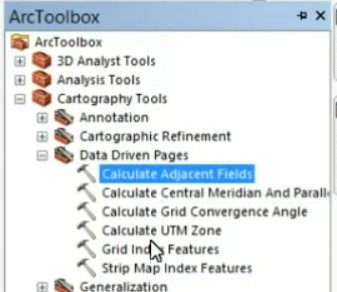
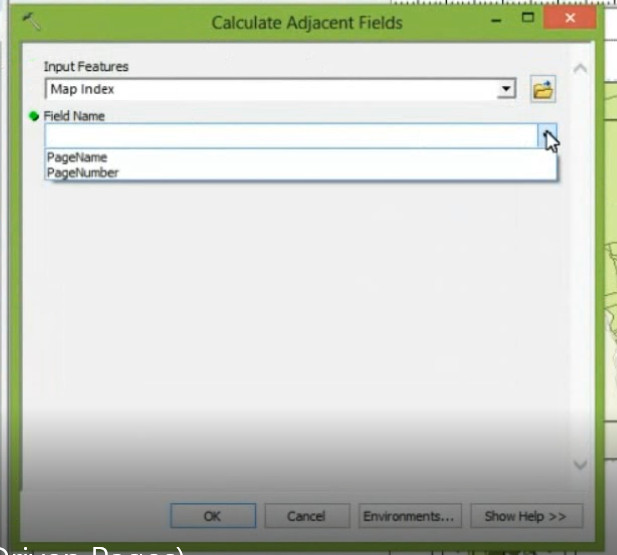
- Calculate Adajacent Fields
- Create another map as "Map Indicator"
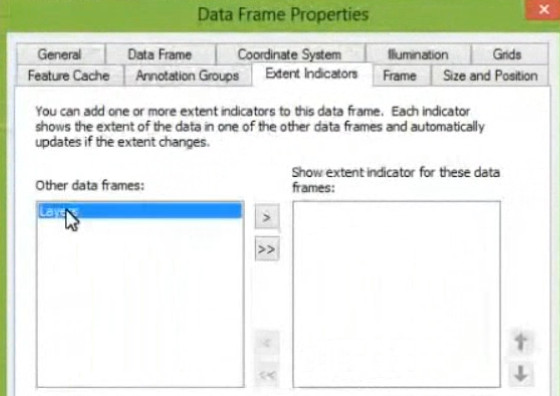
- Extent Indicator
- Create Map Series
How to create Map Book using Data Driven Pages in Arcmap
SET UP DATA DRIVEN PAGES
Dynamic Text (changes for each page)
- page/map numbers
- grid numbers
- neighboring pages
- any attribute from index layer
- date/time/coordinate system (BUT projection should be same for each page)
Dynamic Locator Map
- extent indicator
- page definition (SQL queries)
- clip to shape (geoprocessing)
0:13:50 (Grid Index Features) or (Strip Map Index)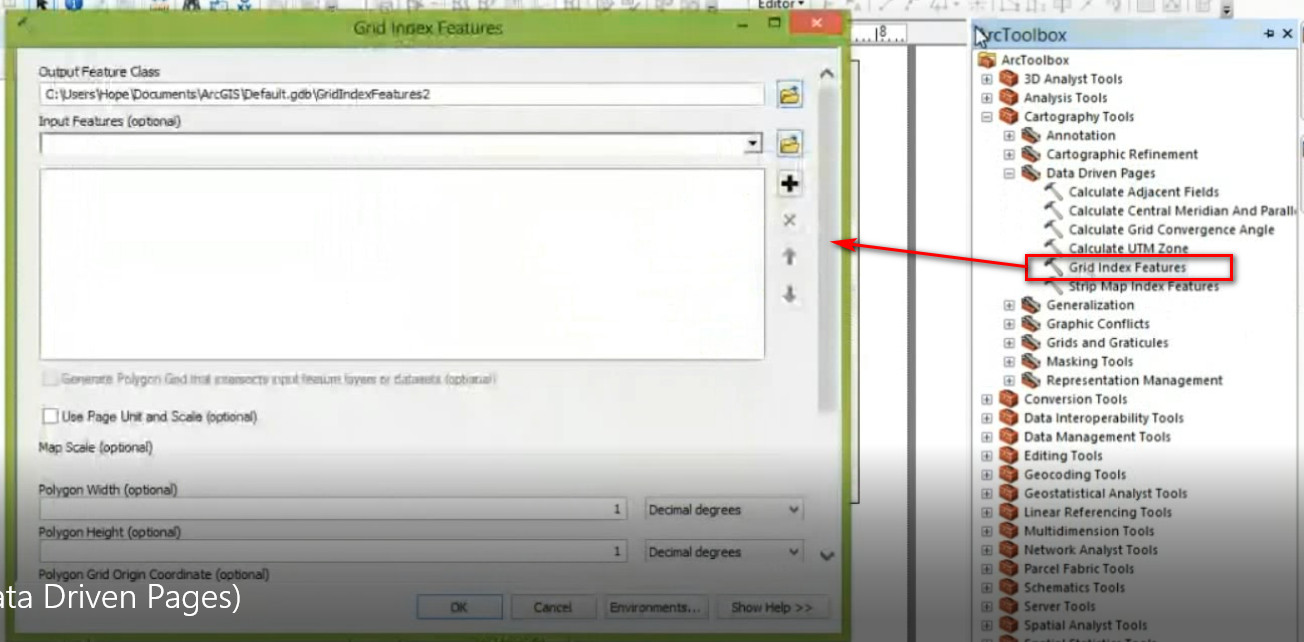
0:30:16
 |
 |
Data Driven Pages (0:32:23)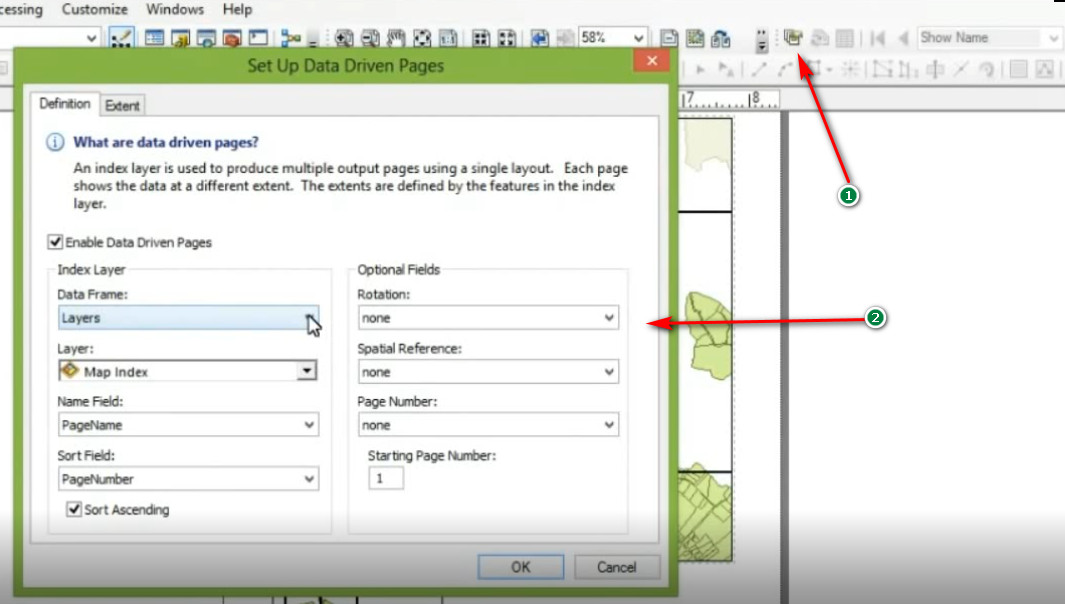
Calculate Adjacent Field
 |
 |
MAP BOOK
series of pages exported (printed)
maps, dynamic text, title pages, additional python scripting