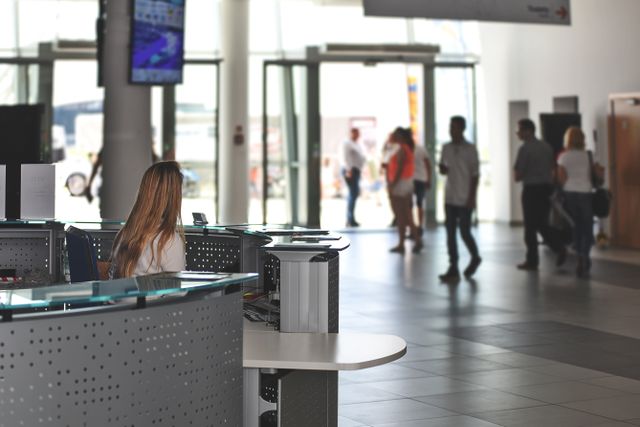
Security is a top priority for commercial building owners and tenants. A well-designed security system:
-
Protects occupants and assets from threats.
-
Deters criminal activity and unauthorized access.
-
Provides peace of mind for tenants and visitors.
-
Complies with insurance and regulatory requirements.
This guide covers the essentials of commercial building security design, including:
-
Access control systems (card readers, biometrics, keypads).
-
Surveillance systems (CCTV, cameras, recording).
-
Visitor management (sign-in systems, badging).
-
Physical security measures (perimeter, lighting, barriers).
-
Integration and best practices.
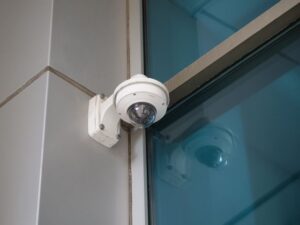
Section 1: Risk Assessment and Security Planning
Before designing a security system, conduct a thorough risk assessment.
| Step | Action |
|---|---|
| 1. Identify Threats | What are the risks? (e.g., theft, vandalism, unauthorized access, active shooter, cyber threats). |
| 2. Assess Vulnerabilities | Where are the weak points? (e.g., unsecured entrances, poor lighting, blind spots). |
| 3. Determine Critical Assets | What needs protection? (e.g., occupants, data, equipment, intellectual property). |
| 4. Develop Security Objectives | What does success look like? (e.g., controlled access, visible surveillance, rapid response). |
| 5. Design Security Layers | Implement a layered approach (deterrence, detection, delay, response). |
Pro Tip: Involve all stakeholders—tenants, building management, security personnel—in the planning process.
Section 2: Access Control Systems
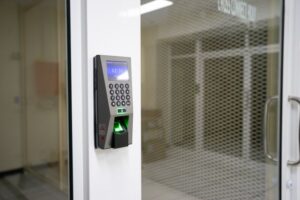
Access control systems manage who can enter a building or specific areas.
| System Type | Method | Security Level | Best For |
|---|---|---|---|
| Proximity Cards | Swipe/tap card to unlock door. | Low–Medium | Standard office buildings. |
| Smart Cards | Encrypted cards with PIN/password. | Medium–High | Corporate offices, healthcare. |
| Biometrics | Fingerprint, facial recognition, iris scan. | High | High-security areas, data centers. |
| Mobile Access | Smartphone app with Bluetooth/NFC. | Medium–High | Modern offices, flexible workspaces. |
| Keypad/PIN | Enter a numeric code. | Low–Medium | Small businesses, low-traffic areas. |
| Intercom Systems | Remote door release via audio/video. | Medium | Apartments, small offices. |
Pro Tip: Mobile access is increasingly popular as it eliminates physical cards and allows remote management.
Section 3: Surveillance Systems (CCTV)
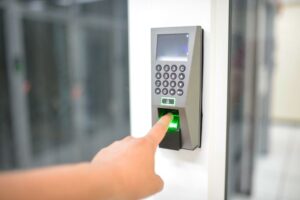
Surveillance systems provide visible deterrence and evidence collection.
| Component | Description | Best For |
|---|---|---|
| Dome Cameras | Discreet, vandal-resistant, wide-angle. | Indoor lobbies, corridors, elevators. |
| Bullet Cameras | Long-range, visible, weatherproof. | Outdoor perimeters, parking lots. |
| PTZ Cameras | Pan-tilt-zoom; remote control. | Large open areas, parking structures. |
| 360-Degree Cameras | Full panoramic view. | Lobbies, atriums, large common areas. |
| Thermal Cameras | Detect heat signatures (night vision). | Outdoor perimeters, critical infrastructure. |
| Video Analytics | AI-powered detection (motion, loitering, facial recognition). | High-security areas, retail, parking. |
Pro Tip: Visible cameras are a deterrent. Hidden cameras are for monitoring and evidence. Use a mix of both.

Section 4: Visitor Management Systems
Visitor management ensures that all visitors are tracked and authorized.
| Feature | Description | Benefit |
|---|---|---|
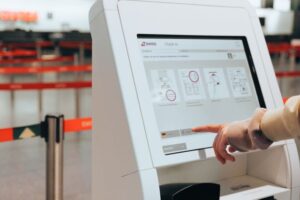
| Self-Service Kiosks | Visitors sign in/out using a touchscreen. | Reduces front-desk workload. |
| Badge Printing | Print visitor badges with photo and expiration. | Easy identification. |
| Pre-Registration | Visitors register online before arrival. | Streamlines check-in. |
| Host Notification | Notify the host when a visitor arrives. | Improves efficiency. |
| Integration with Access Control | Visitor badges can be used to open doors. | Seamless access management. |
Pro Tip: Require visitors to present a government-issued ID for high-security buildings.
Section 5: Perimeter Security
Perimeter security is the first line of defense.
| Measure | Description | Best For |
|---|---|---|
| Fencing | Physical barrier (chain link, wrought iron). | Parking lots, industrial sites. |
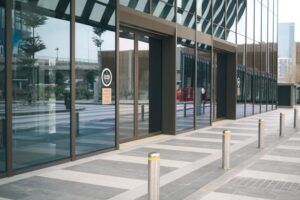
| Bollards | Concrete/steel posts to prevent vehicle access. | Building entrances, pedestrian zones. |
| Security Gates | Controlled access for vehicles. | Parking structures, industrial sites. |
| Outdoor Lighting | LED lighting (motion-activated or dusk-to-dawn). | Parking lots, walkways, perimeter. |
| Perimeter Sensors | Motion detectors, radar, video analytics. | Large campuses, critical infrastructure. |
Pro Tip: Good lighting is one of the most cost-effective deterrents against intruders.
Section 6: Integration and Centralized Management
Modern security systems are integrated for seamless operation.
| Integrated System | Function | Benefits |
|---|---|---|
| Access Control + CCTV | Cameras trigger when a door is opened. | Event verification, evidence collection. |
| Access Control + Alarm | Alarms activate on unauthorized entry. | Quick response. |
| Access Control + Visitor Management | Visitor badges enable door access. | Seamless visitor experience. |
| Building Management System (BMS) | Integrate with lighting and HVAC. | Emergency lockdowns, energy savings. |
Pro Tip: Centralized management software allows security personnel to monitor and control all systems from a single interface.

Section 7: Security Policies and Training
Technology alone is not enough—people and policies are essential.
| Policy | Description |
|---|---|
| Access Control Policy | Who has access to which areas; approval processes. |
| Visitor Policy | Sign-in procedures, escort requirements. |
| Emergency Response Plan | Procedures for active threats, evacuations, lockdowns. |
| Incident Reporting | How to report suspicious activities or breaches. |
| Training | Regular security training for all occupants. |
Pro Tip: Conduct regular security drills to ensure occupants know what to do in an emergency.
Section 8: Common Mistakes and How to Avoid Them
| Mistake | Why It’s a Problem | How to Fix |
|---|---|---|
| Lack of integration | Systems don’t communicate. | Choose compatible systems; plan for integration. |
| Underestimating perimeter security | Attackers can get close to the building. | Implement lighting, fencing, and bollards. |
| No visitor management | Unknown individuals enter freely. | Implement sign-in, badging, and host notification. |
| Inadequate camera coverage | Blind spots provide hiding places. | Conduct a site survey; ensure full coverage. |
| Outdated technology | Security becomes ineffective. | Plan for technology refresh cycles. |
| No training | Occupants don’t know procedures. | Conduct regular training and drills. |
Conclusion
Security is not just about technology—it’s about layered protection. A well-designed security system combines:
-
Access control (who enters).
-
Surveillance (monitoring and evidence).
-
Visitor management (tracking guests).
-
Perimeter security (deterrence).
-
Policies and training (people readiness).
Take Action Today:
-
Conduct a risk assessment to identify vulnerabilities.
-
Design a layered security system (access control, surveillance, visitor management).
-
Integrate systems for seamless operation.
-
Train occupants on security policies and procedures.